Importing missing Microsoft Subscriptions from Partner using the Microsoft Sync tool
Moderate Upgrade
Marketplace Managers can now import Microsoft subscriptions that exist in Partner Center but are missing from the marketplace. Missing subscriptions appear in the discrepancy report with the attribute SUBSCRIPTION_NOT_ON_MARKETPLACE_MISMATCH. For more information on how to generate the discrepancy report, see Reviewing discrepancy data.
From the Subscriptions with Discrepancies tab on the Sync Subscriptions page, users can select an entry to sync and import the subscription data from Partner Center. The platform automatically checks for an existing Company based on the tenant domain or ID, prevents duplicate imports, and creates a new Company when needed.
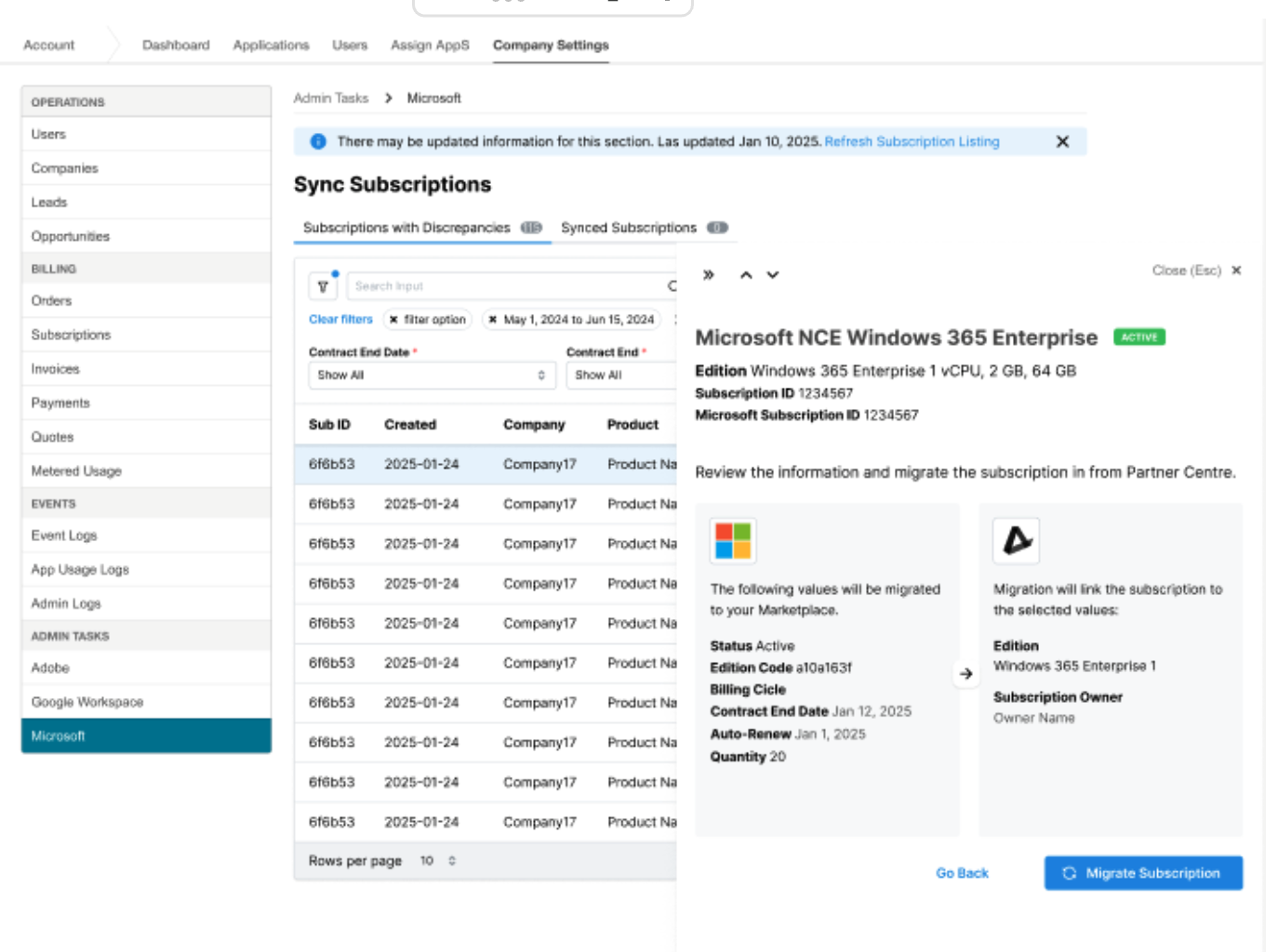
Importing data for missing subscriptions is a two-step process. First, users should submit the required information, such as the correct edition and subscription owner.
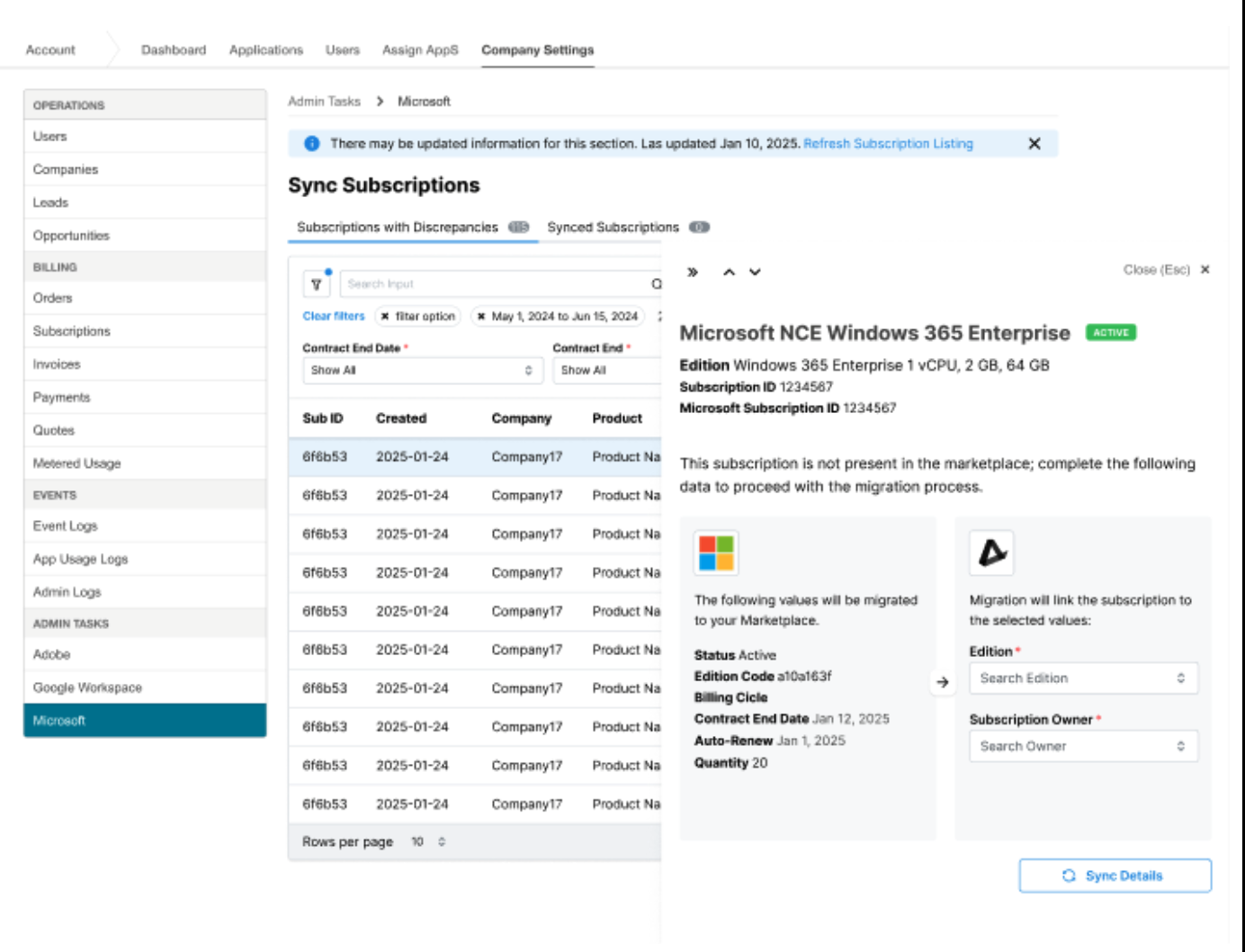
After submitting this data, they must confirm the action to import the subscription into the marketplace.
Feature enablement
No feature enablement is required.
Setting enablement
No setting enablement is required.
Documentation
Refer to Microsoft Sync UI.
Was this page helpful?
Tell us more…
Help us improve our content. Responses are anonymous.
Thanks
We appreciate your feedback!